




Quick Facts
Introduction
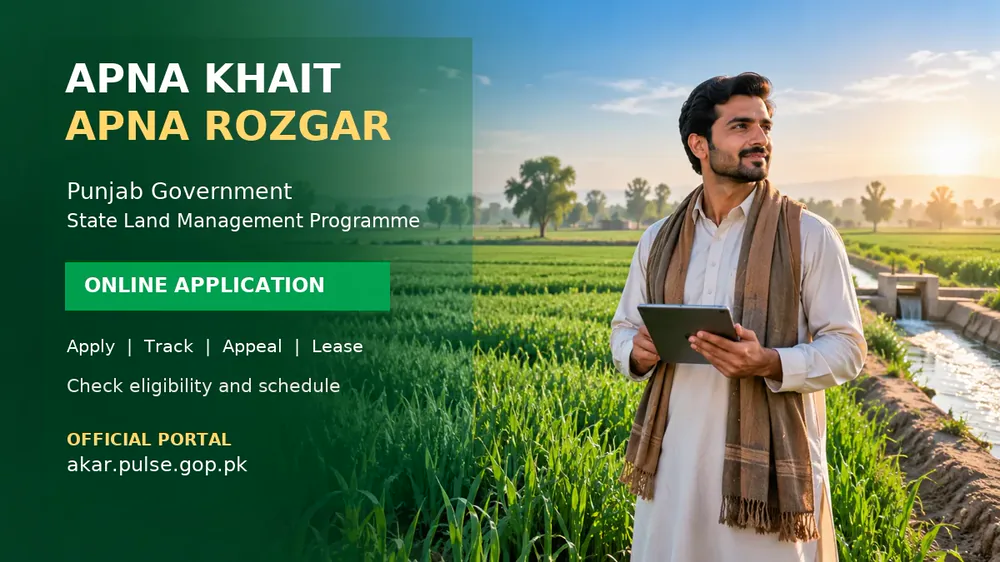
Complete guide to the official AKAR portal for Apna Khait Apna Rozgar, including registration, application, schedule, scrutiny, appeal, payment, allotment and lease steps.
Apna Khait Apna Rozgar 2026 is a Punjab government land-management initiative for applicants who want to understand and apply through the official online system. Instead of depending on unverified social-media posts or private agents, applicants can use the AKAR portal to read the current instructions, submit information, follow the application schedule and check later stages of the process.
For related updates, explore Banking Info, Scholarships, Jobs and for more information.
The official portal is titled State Land Management and uses the programme wording Apna Khait, Apna Rozgar. This article explains the visible portal workflow, the information applicants should prepare, how to avoid common mistakes and what to verify before submitting an application. It does not replace the latest official eligibility notice because programme rules and dates can change.
What Is the Apna Khait Apna Rozgar Programme?
Apna Khait, Apna Rozgar is associated with Punjab’s state land-management and rural livelihood administration. The AKAR website acts as a digital entry point where applicants can access programme information and, when the relevant window is open, complete the application process. The system is designed to make application, scrutiny, scheduling, appeals and later allotment or lease-related steps easier to follow through one official portal.
Applicants should understand the difference between applying and being selected. Creating an account or submitting an application does not by itself guarantee land, allotment, financial assistance, possession or a lease certificate. Final outcomes depend on the current policy, eligibility verification, available land, scrutiny, approvals and any payment or lease conditions stated by the competent authority.
What Can You Do on the Official AKAR Portal?
- Register or log in: Create an applicant account or access an existing application.
- Submit an application: Enter personal, contact, residence and other information requested by the live form.
- Check the application schedule: Review the current opening, closing, scrutiny or activity dates published by the portal.
- Track progress: Keep the application reference and use the relevant status or dashboard option.
- File an appeal where allowed: Use the official appeal route within the stated deadline and attach relevant evidence.
- Complete payment steps where required: Follow only the payment instructions generated by the official system.
- Review allotment and lease information: Selected applicants can follow the instructions for allotment, possession or lease-certificate processing when those stages become available.
Eligibility Criteria: What Applicants Must Verify
The AKAR portal is dynamic, and the exact criteria may vary by programme phase, district, land parcel, applicant category and official notification. Before applying, read the current eligibility section on the portal and confirm all conditions that apply to your case. Do not rely on a forwarded WhatsApp message for age limits, acreage, income limits, quotas or closing dates.
As a general preparation checklist, applicants may need to confirm their valid identity document, Punjab residence or domicile status, accurate family and contact details, farming or land-related information and any category-specific conditions. These are preparation points only; the live official form and notification remain the final authority.
Documents and Information to Prepare
Keep clear, readable documents ready before opening the application form. The portal may request only some of these items, depending on the current phase and applicant category:
- Valid CNIC or other identity information requested by the form.
- Active mobile number and email address, if required for verification and updates.
- Punjab domicile or residence information, where the official notice requires it.
- Family, household, income or livelihood information requested in the application.
- Land, tenancy, farming or other supporting evidence if it is listed in the live checklist.
- Bank, payment or account information only when the official portal specifically asks for it.
- Scanned copies or photographs that are complete, readable and within the portal’s file-size limits.
Use the same spelling and date-of-birth information across the application and supporting documents. Review every field before final submission, because an incorrect CNIC, mobile number, district, family detail or uploaded document can delay scrutiny or create a verification problem.
How to Apply on the AKAR Portal
- Open the official website at akar.pulse.gop.pk/home.
- Read the programme instructions, eligibility information and current application schedule before registering.
- Create an account or sign in using the details requested by the portal.
- Choose the correct application or programme option and enter your personal, residence and livelihood information carefully.
- Upload the documents requested in the live form. Do not submit blurred, cropped or unrelated files.
- Review the complete form, declarations and consent statements before pressing submit.
- Save the application number, acknowledgement, screenshots and any downloadable receipt.
- Return to the portal to check schedule changes, scrutiny status, notices, appeal options and later instructions.
Application Schedule and Status Tracking
The official portal includes an application-schedule area. Applicants should treat the dates displayed there, and any newer official notice, as the controlling schedule. A deadline can differ by district, phase or applicant category. Submit early rather than waiting for the final hours, especially if the portal requires document uploads or verification.
After submission, keep checking the application dashboard and official notices. A status update may require clarification, a missing document, an appeal or another step. Do not assume that a silent dashboard means approval. If the portal provides a reference number, use that number when contacting an official support or focal-person channel.
Scrutiny, Appeal and Selection Process
Applications can pass through administrative scrutiny and verification before any final decision. The portal workflow refers to scrutiny, schedules and an appeal facility. If an application is rejected or an objection is raised, read the stated reason and submit an appeal only through the official route and within the given time limit. Attach factual evidence and keep a copy of the submitted appeal.
Selection is not automatic. It can depend on the approved policy, applicant eligibility, verification results, district or local availability, committee recommendations, balloting or other selection rules. Read the final decision and conditions carefully before making a payment or signing any document.
Payment, Allotment and Lease Certificate Guidance
The portal includes workflow stages related to payment, allotment and lease certificates. These stages should be followed only after an official decision or instruction appears in the applicant’s account. Never send money to a personal bank account, mobile wallet, social-media contact or agent claiming to guarantee an AKAR plot or lease.
Before making any official payment, confirm the amount, due date, reference number, receiving department and refund or cancellation conditions from the portal-generated instructions. Keep the payment receipt and later verify that the transaction is reflected in the official dashboard. A payment receipt alone is not proof of final allotment or possession.
How to Avoid Fake AKAR Messages and Agents
- Type the official domain yourself: akar.pulse.gop.pk.
- Check that a deadline or fee appears in an official notice or applicant dashboard.
- Do not share your password, OTP, CNIC image or application credentials with strangers.
- Do not pay an agent for a “guaranteed” allotment, early approval or reserved plot.
- Use official Punjab government, PLRA, Agriculture Department or portal channels for verification.
- Keep screenshots and receipts for every legitimate submission, appeal or payment.
Official Links and Source Verification
Use the following sources for the latest instructions and related public information:
- Official AKAR State Land Management Portal
- Punjab Land Records Authority (PLRA)
- Punjab Agriculture Department
- Government of Punjab
- APP report on progress of Apna Khait Apna Rozgar
Verification note: This article was prepared on 20 October 2026 after reviewing the public AKAR portal shell and its visible application workflow. Portal rules, dates, eligibility, land availability, charges and selection conditions can change. Always read the latest official notice before submitting an application or paying any amount. For more Punjab government updates, visit our Govt Schemes category.
FAQs
What is the AKAR portal?
AKAR is the official State Land Management web portal associated with Punjab’s Apna Khait, Apna Rozgar programme. It provides online programme information and application-related services.
Is akar.pulse.gop.pk the official application website?
It is the public portal reviewed for this article and is branded as State Land Management. Applicants should still verify the latest notice and domain before entering personal information or making a payment.
What are the exact eligibility criteria for Apna Khait Apna Rozgar?
The exact criteria depend on the current phase and official notification. Check the live AKAR portal for the applicable age, residence, income, land, district and category requirements instead of relying on third-party figures.
How can I apply online?
Open akar.pulse.gop.pk/home, read the current instructions, register or sign in, complete the correct application, upload the requested documents and save the application reference after submission.
Can I appeal if my application is not accepted?
The portal includes an appeal workflow for eligible cases. Follow the reason, deadline and evidence requirements shown in your account or official notice and submit the appeal through the portal.
Does applying guarantee land or a lease certificate?
No. Application submission does not guarantee allotment, possession, financial assistance or a lease certificate. The final result depends on official scrutiny, eligibility, availability, approvals and the programme’s stated conditions.
Conclusion
Review the official sources, dates and eligibility conditions mentioned in this article before taking action. For more related updates, explore the category links above.







Comments (0)
No Comments Found